
Introduction: Understanding Dual Bootable USB
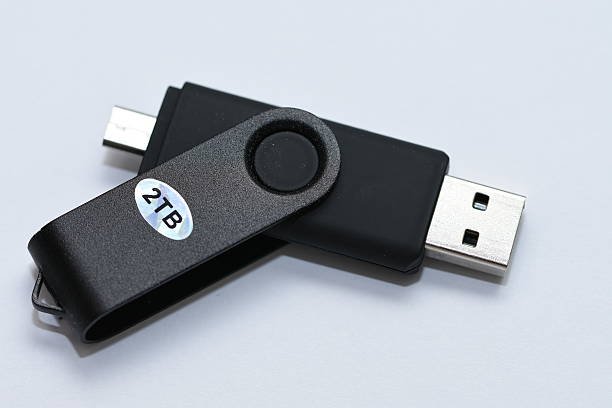
A dual bootable USB is a single flash drive that can start two different operating systems or boot environments on a computer. Instead of relying on multiple USB drives for different tasks, users can carry one device that offers multiple boot choices during startup.
- Introduction: Understanding Dual Bootable USB
- What a Dual Bootable USB Means in Simple Terms
- Why People Prefer a Dual Bootable USB
- Practical Uses of a Dual Bootable USB
- Using a Dual Bootable USB for OS Installation
- Using It for System Repair and Recovery
- Learning and Testing Environments
- How a Dual Bootable USB Works Internally
- Basic Requirements Before Creating One
- Dual Bootable USB on BIOS and UEFI Systems
- Benefits of Using a Dual Bootable USB
- Common Problems and How to Fix Them
- Security Tips for Using Dual Bootable USBs
- Role of Dual Bootable USB in Modern Computing
- Conclusion
- Frequently Asked Questions
This solution is widely used for operating system installation, system recovery, software testing, and learning new platforms. With modern systems supporting flexible boot options, using a dual bootable USB has become a practical and efficient approach for both everyday users and IT professionals.
What a Dual Bootable USB Means in Simple Terms
Before getting into technical details, it helps to understand the concept clearly. A dual bootable USB contains two separate boot setups stored on the same drive. When the computer starts from the USB, a menu appears that allows the user to choose which system or tool to load.
Each option works independently. One could be a full operating system installer, while the other could be a live system or recovery environment. This setup does not affect the computer’s internal storage unless the user chooses to install something.
Why People Prefer a Dual Bootable USB
Using a dual bootable USB is not just about saving space. It improves efficiency and gives users more control over how they manage systems.
Many people prefer this setup because it:
-
Reduces the need for multiple bootable drives
-
Saves time during system installation or repair
-
Makes troubleshooting easier
-
Keeps important tools organized in one place
This approach is especially useful for technicians, developers, and learners who frequently work with different systems.
Practical Uses of a Dual Bootable USB
A dual bootable USB can be configured in many ways depending on user needs. Below are some common and practical use cases.
Using a Dual Bootable USB for OS Installation
One of the most common uses is installing two different operating systems from a single USB drive. For example, users may include both a Windows installer and a Linux installer. This avoids recreating bootable media repeatedly.
Using It for System Repair and Recovery
Another popular setup includes a main operating system along with a recovery or diagnostic tool. This allows quick access to repair options when a system fails to start normally.
Learning and Testing Environments
Students and developers often use this setup to test new operating systems or tools without making permanent changes. Everything runs directly from the USB, keeping the main system safe.
How a Dual Bootable USB Works Internally
A dual bootable USB relies on a boot manager that loads first when the system starts. This boot manager displays a menu with available boot options.
Each option has:
-
Separate boot files
-
Individual configuration entries
-
Independent loading behavior
Once a selection is made, the system loads that environment directly. This process is fast and works on most modern computers.
Basic Requirements Before Creating One
Before setting up a dual bootable USB, it is important to ensure the basics are covered. Skipping these steps often leads to boot errors.
You need:
-
A USB drive with enough storage space
-
Compatible ISO files
-
Correct partition structure
-
Matching firmware mode
Meeting these requirements improves compatibility and reduces setup problems.
Dual Bootable USB on BIOS and UEFI Systems
Firmware type plays an important role in how bootable devices function. Understanding this helps avoid common mistakes.
BIOS-Based Systems
Older computers using BIOS rely on legacy boot methods. These systems may require specific partition formats and boot loaders to recognize multiple boot options.
UEFI-Based Systems
Modern computers use UEFI, which supports faster startup and better security. Some systems may block external booting unless Secure Boot settings are adjusted.
Knowing which firmware your system uses helps ensure smooth operation.
Benefits of Using a Dual Bootable USB
There are several clear advantages to using this setup compared to single-boot solutions.
Key benefits include:
-
One USB for multiple purposes
-
Faster access to tools and installers
-
Better workflow for technical tasks
-
Reduced setup time
These benefits make it a smart choice for both personal and professional use.
Common Problems and How to Fix Them
Even with proper preparation, users may face issues. Most problems are simple and easy to resolve.
Only One Boot Option Appears
This usually happens when the boot menu is not configured correctly or one set of files is missing.
USB Does Not Boot at All
This can occur due to incorrect firmware settings or an unsupported file system.
Secure Boot Blocks the USB
Disabling Secure Boot temporarily often resolves this issue on UEFI systems.
Security Tips for Using Dual Bootable USBs
External boot devices should always be handled carefully to avoid security risks.
Recommended practices:
-
Use trusted ISO sources
-
Keep the USB physically secure
-
Enable firmware passwords
-
Avoid using it on unknown systems
These steps help protect both your data and the systems you work on.
Role of Dual Bootable USB in Modern Computing
In modern computing, a dual bootable USB is more than a convenience tool. It is widely used in IT support, development, and education.
From system deployment to troubleshooting and training, this solution continues to be relevant due to its flexibility and ease of use.
Conclusion
A dual bootable USB offers a simple yet powerful way to manage multiple boot environments from a single device. It saves time, improves efficiency, and provides flexibility without affecting the main system.
By understanding how it works and using it responsibly, users can handle installations, repairs, and testing tasks with confidence. For anyone who regularly works with computers, this tool is a practical and valuable addition.
Frequently Asked Questions
1. What is a dual bootable USB?
It is a USB drive that can boot two different operating systems or boot tools from the same device.
2. Does it work on all computers?
Most modern systems support it, but firmware settings may need adjustment.
3. Can beginners use a dual bootable USB?
Yes, as long as they follow instructions carefully and use trusted files.
4. Is my main system affected when using it?
No, it runs independently unless you choose to install something.
5. Can I add more systems later?
Yes, additional boot options can be added if space and compatibility allow.