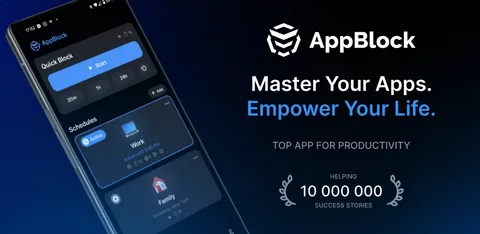

Mobilesoft.AppBlock: Features, Privacy, and Why It Stands Out
In today’s fast-paced digital world, distractions are just a tap away. Mobilesoft. AppBlock is one of the leading tools designed to help users block apps, websites, and notifications, thereby boosting productivity. While most articles provide only surface-level insights, this guide offers a comprehensive breakdown of features, privacy details, pros and cons, and how it compares to competitors.
- What is Mobilesoft AppBlock?
- Key Features of Mobilesoft. AppBlock
- 1. Personalised Blocking Profiles
- 2. Strict Mode for Extra Discipline
- 3. App and Website Blocking
- 4. Advanced Scheduling
- 5. Notification Control
- Privacy and Permissions
- How AppBlock Impacts User Behaviour
- Performance and Reliability
- Flexibility and Customisation
- Platform and Device Coverage
- Battery and Device Impact
- Pricing and Value
- What Users Say About AppBlock
- Accessibility and Global Reach
- Alternatives to Mobilesoft. AppBlock
- Conclusion: Is Mobilesoft.AppBlock Worth It?
- FAQs on Mobilesoft.AppBlock
What is Mobilesoft AppBlock?
Mobilesoft. AppBlock is a productivity and focus application mainly available on Android devices. It helps users limit their screen time by blocking apps, websites, and unwanted notifications. By creating custom blocking schedules, individuals can build better routines for studying, working, or simply disconnecting.
Unlike many basic time management apps, Mobilesoft. AppBlock offers advanced personalisation so users can tailor restrictions to specific times of day, activities, or environments.
Key Features of Mobilesoft. AppBlock
1. Personalised Blocking Profiles
Multiple profiles can be created for different situations. For example, a work profile may block social media, while a study profile restricts video platforms.
2. Strict Mode for Extra Discipline
Strict Mode makes it difficult to bypass restrictions. Even uninstalling or disabling the app requires additional steps, reducing the chance of breaking focus.
3. App and Website Blocking
The app can block both mobile apps and websites. This wider coverage ensures distractions are minimised across different platforms.
4. Advanced Scheduling
Schedules can be customised for daily, weekly, or recurring use. This allows the app to run automatically without constant adjustments.
5. Notification Control
Disabling notifications prevents interruptions that often break concentration during important tasks.
Privacy and Permissions
Privacy is one of the most important aspects of any focus app. Mobilesoft. AppBlock requires permissions for usage tracking and notifications. Unlike some competitors, it does not ask for access to sensitive information such as contacts or personal files.
The app processes most of its data locally, which provides an additional layer of security. However, users should review permissions regularly to ensure safe use.
How AppBlock Impacts User Behaviour
Beyond its technical features, Mobilesoft. AppBlock supports positive behavioural change. Many users report improvements in focus and reduced stress thanks to fewer distractions.
Of course, no app is completely bypass-proof. Determined users may still find ways around restrictions. For best results, it should be combined with personal discipline.
Performance and Reliability
While the app generally works smoothly, some users have noticed occasional glitches, such as a short delay before an app is blocked. Android updates can also cause temporary inconsistencies. These issues are common across blocking apps, but it is best to test the app on your device before full-time use.
Flexibility and Customisation
Mobilesoft.AppBlock offers highly detailed controls, including:
- Blocking apps or specific websites
- Filtering content with keywords
- Emergency overrides for urgent needs
This customisation is a major advantage over simpler apps that only allow all-or-nothing blocking.
Platform and Device Coverage
Mobilesoft.AppBlock is most powerful on Android. While it has some iOS functionality, restrictions from Apple’s operating system limit its performance. Competitors like Freedom and BlockSite offer stronger cross-device support, but AppBlock’s Android features remain a standout.
Battery and Device Impact
AppBlock runs in the background, which raises concerns about battery life. In most cases, battery usage is minimal. On older devices or with multiple profiles active, performance may vary slightly.
Pricing and Value
Mobilesoft.AppBlock has both free and paid options:
- Free Version: Limited features and fewer blocking profiles
- Premium Version: Unlimited profiles, Strict Mode, advanced scheduling
The subscription is affordable compared to premium apps like Freedom. However, a one-time payment option would make it even more appealing to long-term users.
What Users Say About AppBlock
Positive Reviews
- Effective at reducing distractions
- Simple setup and user-friendly interface
- Highly customizable profiles
Negative Reviews
- Minor glitches with Android updates
- Limited cross-device support
- Workarounds are still possible with effort
These insights reflect the app’s strong functionality while also highlighting areas for improvement.
Accessibility and Global Reach
Mobilesoft. AppBlock supports multiple languages, making it available for users worldwide. However, accessibility features like screen reader compatibility are limited, which may reduce usability for visually impaired individuals.
Alternatives to Mobilesoft. AppBlock
Several alternatives are worth considering:
- BlockSite Works across devices and includes browser extensions
- Freedom Premium solution with desktop and mobile integration
- Stay Focused, Lightweight, and easy to use
- Forest encourages focus with a gamified approach
Each competitor has strengths, but Mobilesoft’s AppBlock excels at profile customisation and Strict Mode, especially for Android users.
Conclusion: Is Mobilesoft.AppBlock Worth It?
Mobilesoft. AppBlock is a reliable and affordable productivity tool for Android users. With features like customisable profiles, Strict Mode, and privacy-conscious permissions, it helps users reduce distractions and focus on what matters most.
While it lacks seamless cross-device syncing and sometimes faces minor glitches, it remains one of the top choices for anyone seeking a balance of power, flexibility, and ease of use.
FAQs on Mobilesoft.AppBlock
Q1: Can I use Mobilesoft AppBlock for free?
Yes, but the free plan has limited features. Premium unlocks all advanced tools.
Q2: Does it block both apps and websites?
Yes, it blocks apps and websites for better focus.
Q3: How effective is Strict Mode?
It makes bypassing restrictions much harder, though not completely impossible.
Q4: Will the app drain my battery?
Battery usage is usually low, though it may vary by device.
Q5: Is there an iOS version?
Yes, but it has limited functionality compared to Android.